
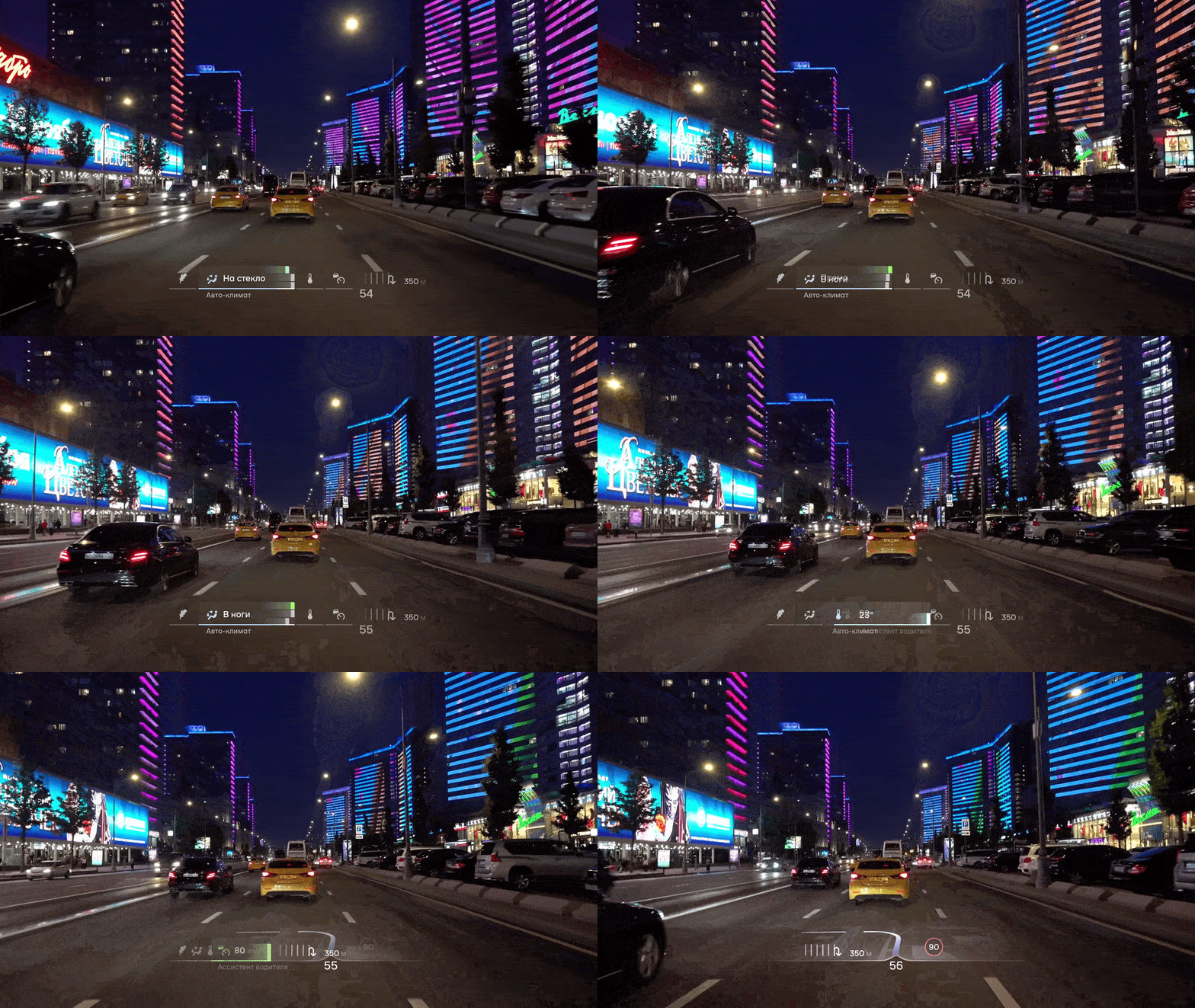
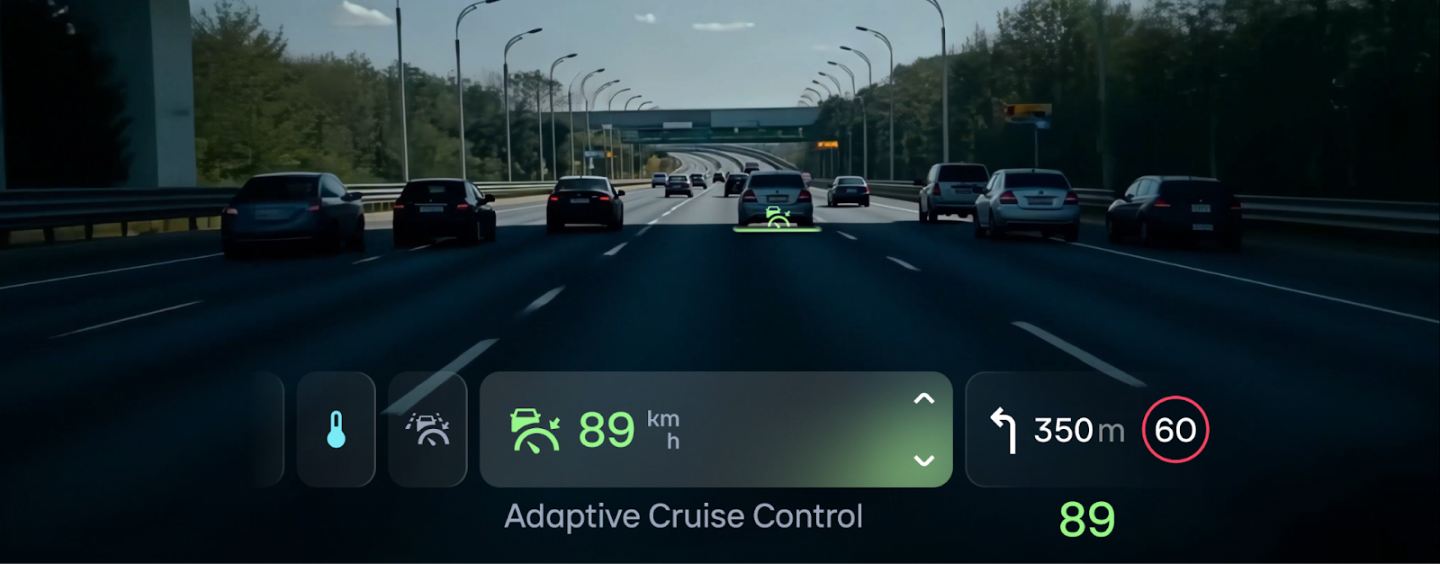
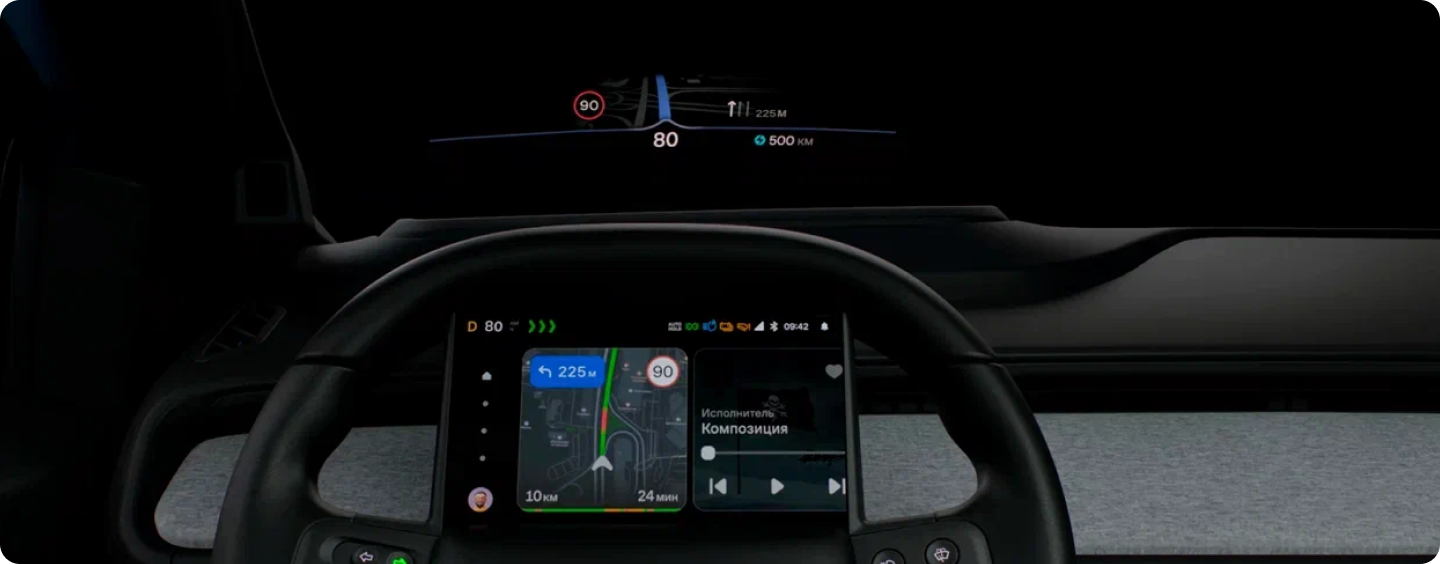
Atom is Russia’s first production electric vehicle, with its release expected very soon. This vehicle’s unique interface is a true glimpse into the future, featuring augmented reality, a head-up display projected onto the windshield (AR HUD), and even a display directly in the steering wheel (SWP).
It was for these specific interfaces—the SWP and AR HUD, as well as for the mobile app—that we created (or rather, customized) a font. The Atom team then conducted a study to ensure that text set in this font could be read flawlessly under real-world driving conditions.
In this article, we’ll take you through the customization process and the research behind it.
Atom Interphases: Customizing a Font for Atom
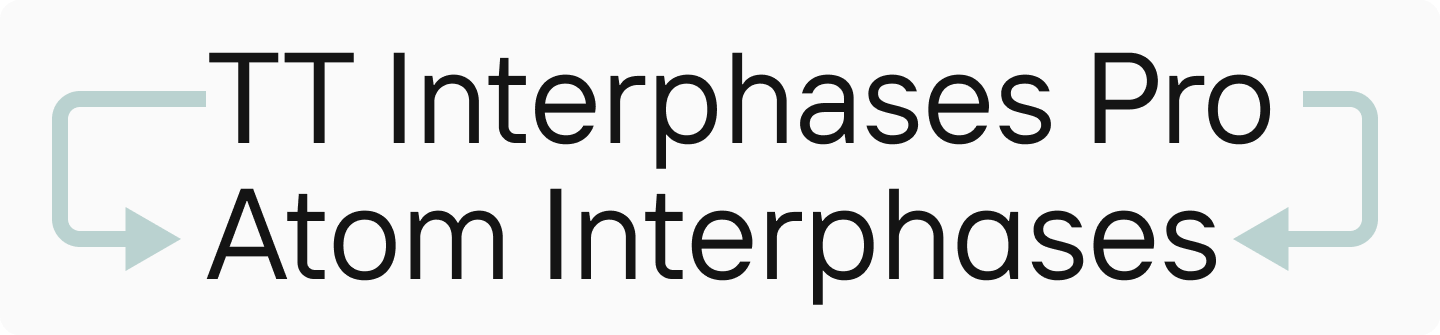
TypeType was tasked with creating a text font for the electric vehicle’s interface, app, website, and all other Atom platforms. Crucially, it had to complement the Atom display font already in use on the project. During the approval phase, we and the Atom team concluded that the best solution would be to customize our own TT Interphases Pro font.
“Our dream is to create a unified style of communication with the user across all media—from posters to the interfaces inside the electric car. The Atom font is a vibrant neo-grotesque that helps us stand out in a sea of informational noise. However, the UI team prefers more understated fonts that place a minimal cognitive load on the driver. At their request, we explored font pairings, and everyone liked TT Interphases Pro. We wanted to infuse it with the character of the Atom brand, and TypeType offered us an excellent solution by customizing their font.”
Oleg Vakhromeev, Creative Director at Atom
“We needed to add a branding component to the font. So, we decided to make some characters more interesting and decorative. At the same time, it was vital to preserve readability.”
Antonina Zhulkova, Design Lead at TypeType
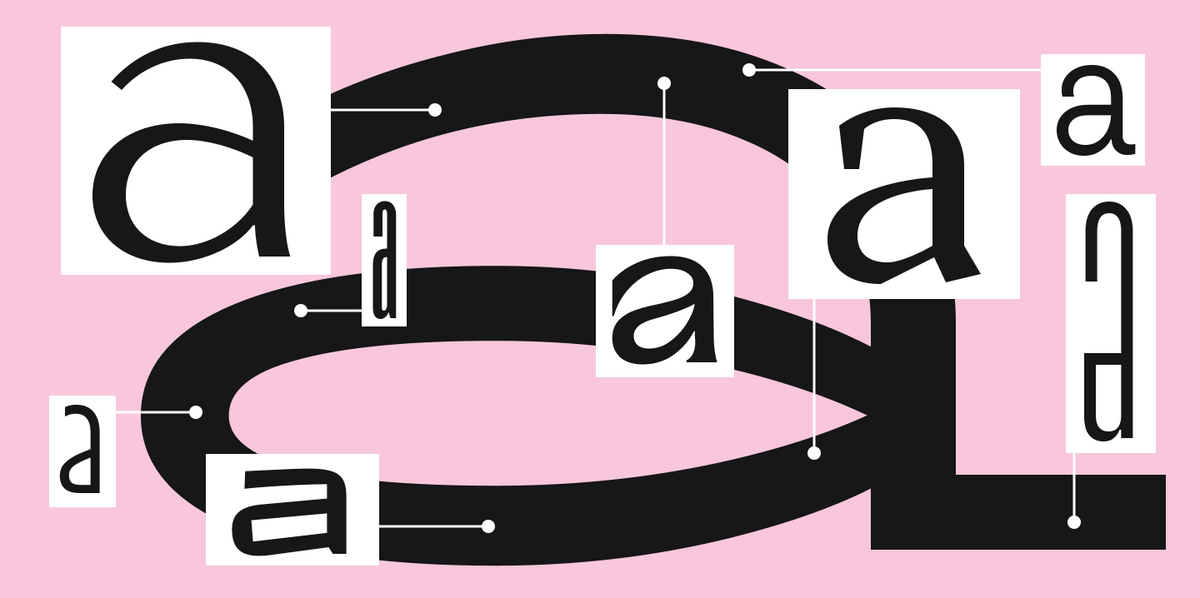
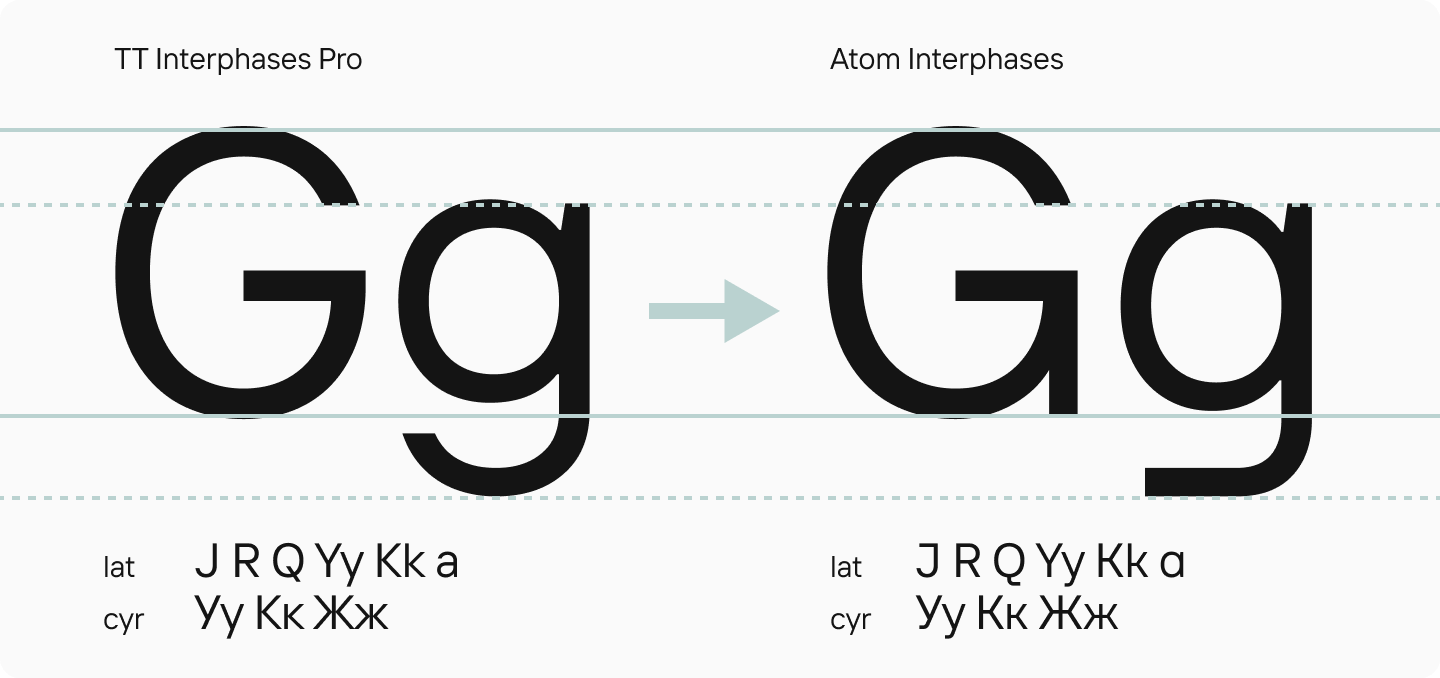
To ensure the character of the customized font echoed the existing display font, we selected distinctive letters and used them as a basis to modify a series of characters in TT Interphases Pro. These included the terminals of G, J, R, Q, a, and g, as well as the letters Уу, Yy, Кк, Kk, and Жж. Some forms were completely redrawn.
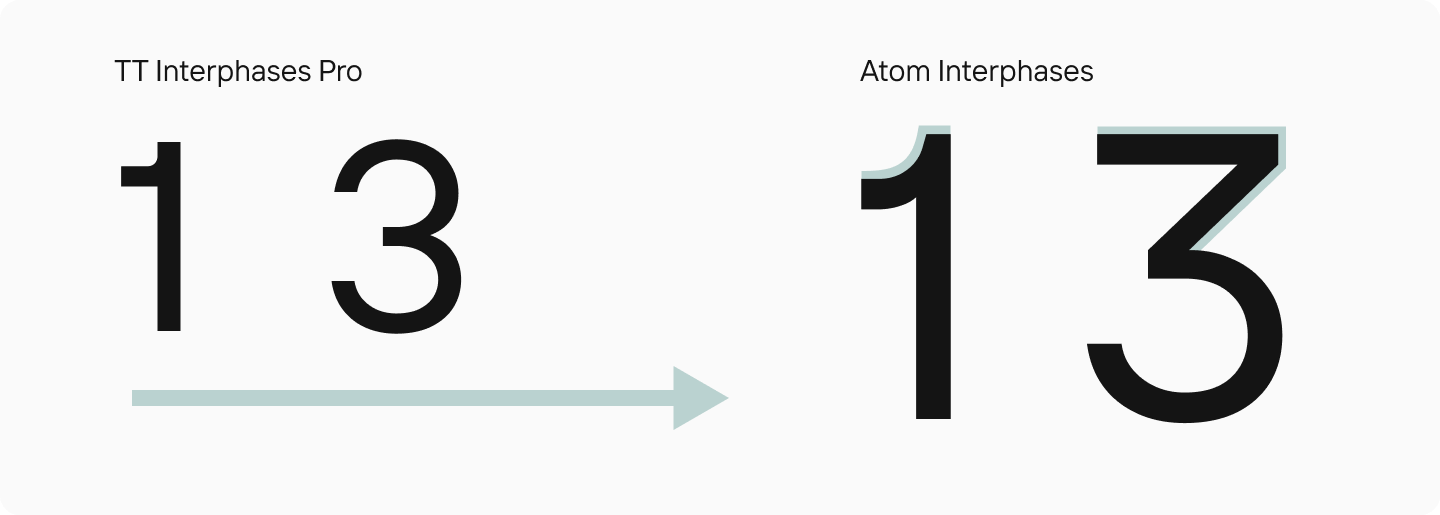
The numerals were also modified to be more striking and characterful. Specifically, this applied to the numbers 1, 3, 6, and 9 across all styles—lining, old-style, tabular, circled, and so on.
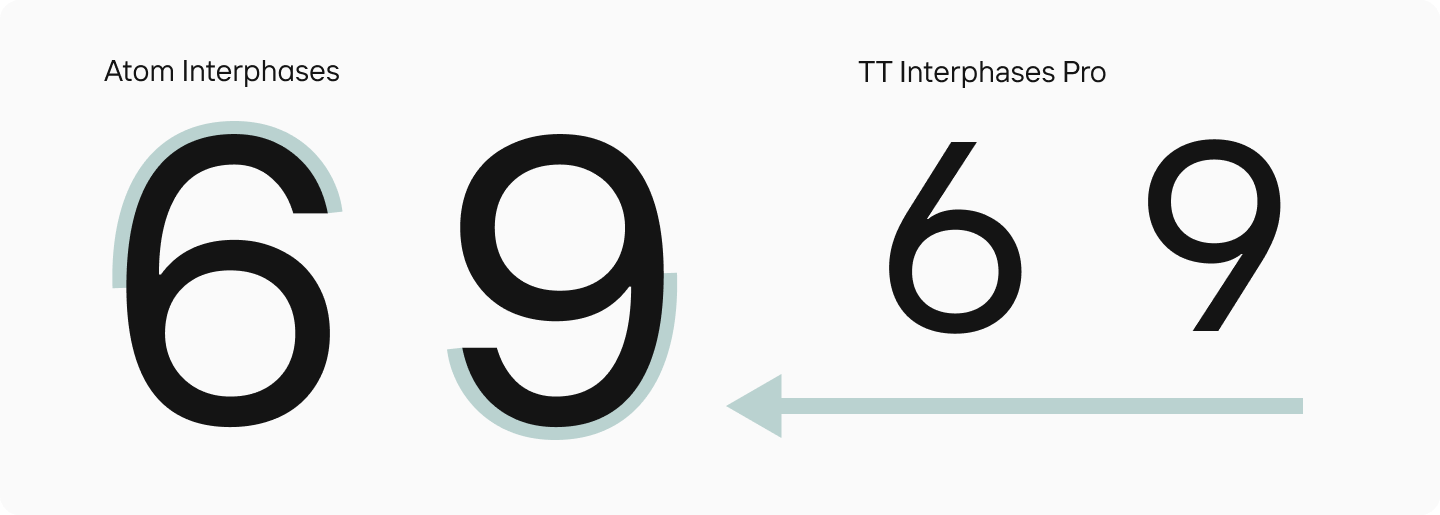
“There’s an interesting story with the numbers 6 and 9. In the original TT Interphases Pro, they looked like a circle with a diagonal line. To make these forms more display-like, we needed to add ’tails’ to them. But this shape isn’t ideal for readability because it’s more ambiguous—you could confuse these numbers with an 8, a 3, or a 0. So, we created two sets for different tasks: one more readable, the other more accentuated.”
Antonina Zhulkova, Design Lead at TypeType
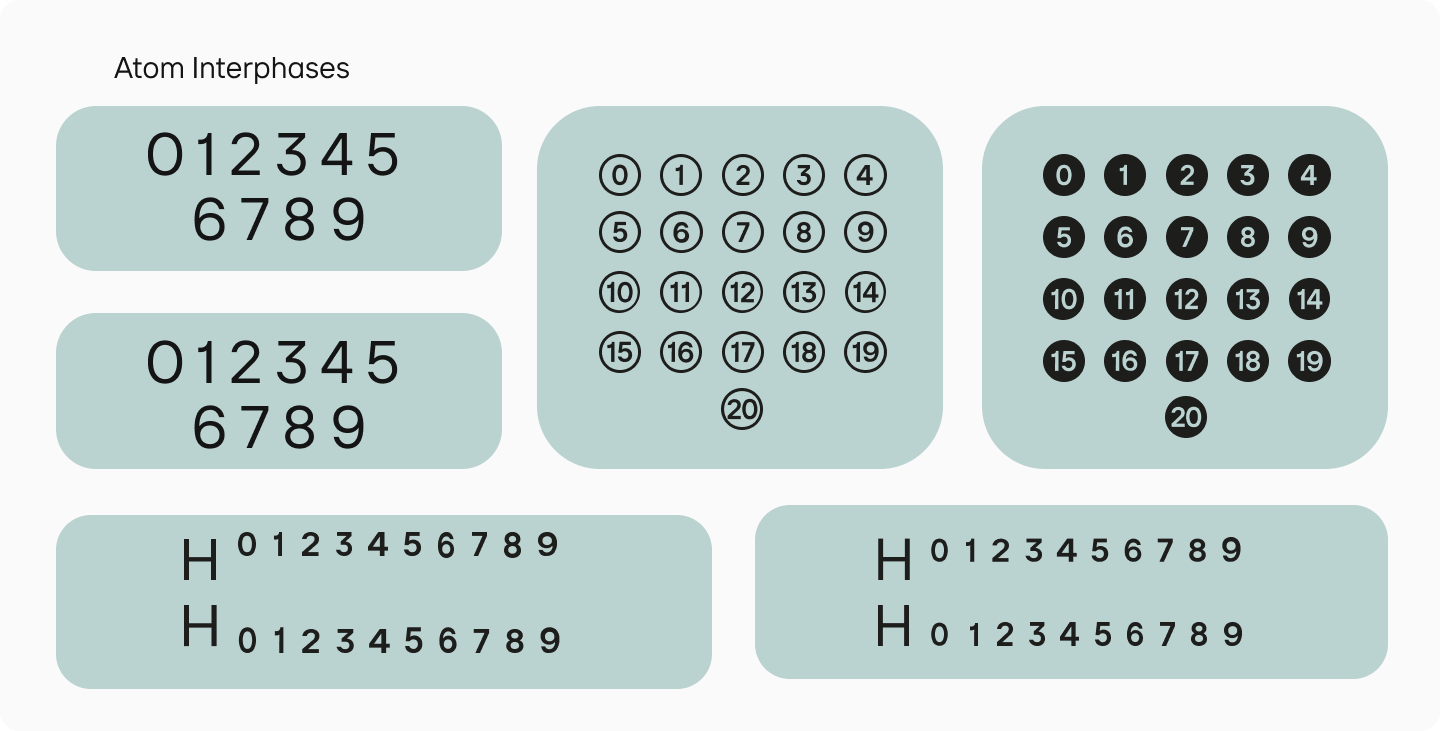
For the interfaces, we created a separate font file containing only tabular figures, which are used specifically when number distinguishability is critical at high reading speeds.
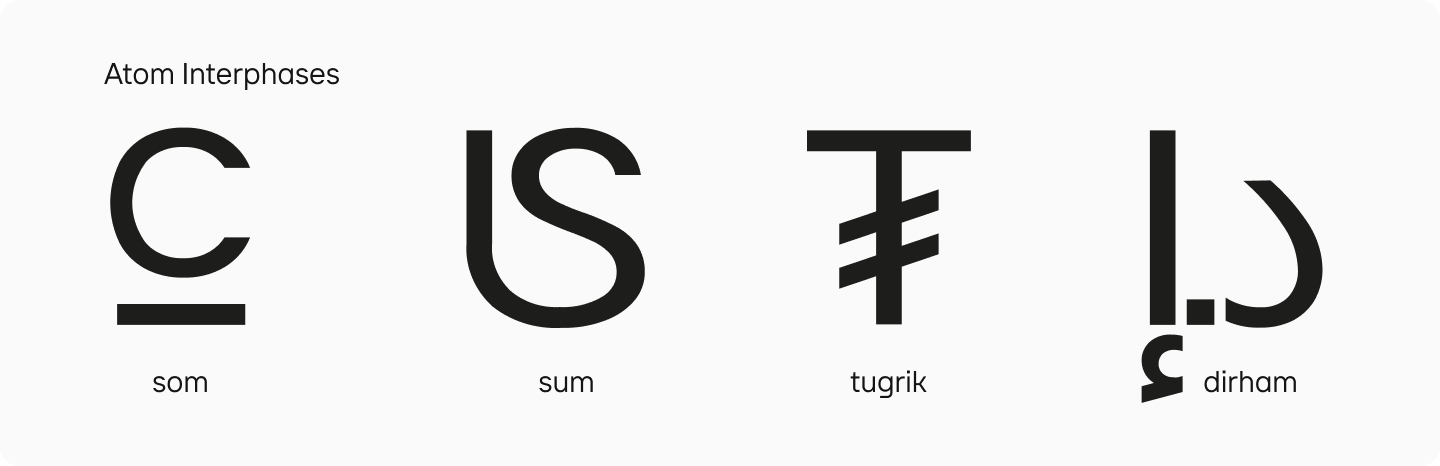
We also drew symbols for several currencies: the som, somoni, tugrik, and dirham in all their respective styles. The dirham was particularly interesting to work on, as we had never designed this symbol before. Currently the national currency of the UAE and Morocco, and a fractional monetary unit in Jordan, Libya, and Qatar, it doesn’t have a single dedicated symbol like the ruble or dollar sign. It is typically typed using three separate characters: two from the Arabic script and a dot.
For this font, however, we created a single glyph for the dirham to make it easy to type. We even conducted a small study to understand exactly how it should look in this font.
Finally, we made technical refinements to the font, adjusting the baseline and leading so that when switching fonts in the interface, the layout would not break.
The resulting font was named Atom Interphases. It fully met the company’s needs, a fact confirmed by Atom’s research, which we’ll discuss next.
The Atom Interface Font Study
After we delivered the finished Atom Interphases, the Atom team decided to test the font by recreating driving conditions. It was crucial to understand how quickly and easily notifications could be read, as this directly impacts driving safety.
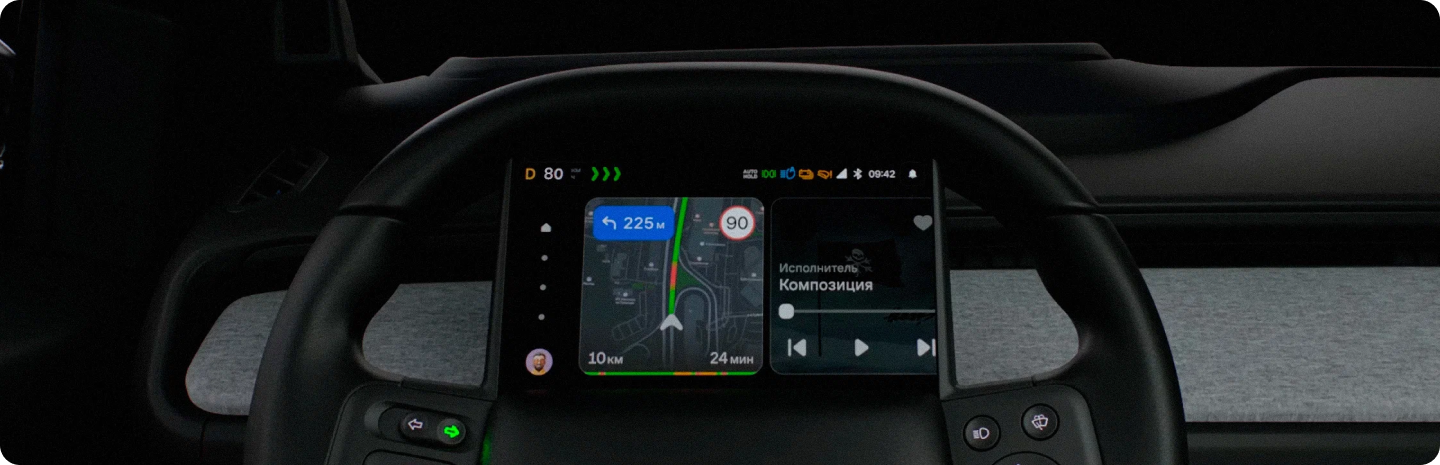
“We were verifying if the font was suitable for our specific interfaces: the SWP, which is a tablet on the steering wheel, and the HUD, the projection on the windshield. We needed to test the readability and recognizability of characters with these specific interfaces in mind and find out how the font would perform while a person is driving.”
Yaroslava Medvedeva, Lead User Experience Researcher at Atom
Preparation
The structure of the study itself was quite simple. It began with a briefing between the Atom and TypeType teams. The specialists discussed potential issues that could arise under the given conditions, such as how specific letters are perceived and whether they might be confused. For example, would a single-story ’a’ be mistaken for an ’o’? If so, would that pose any risk? How are letters and symbols recognized in general?
Atom’s designers also paid close attention to number recognition. A great deal depends on this—for instance, whether a person correctly understands their driving speed.
“Almost no one conducts UX studies like this. We found articles about font size, contrast, and the perception of texts in different fonts, but none of them were what we needed. We had to test all this directly with our interfaces. We identified two key metrics to focus on: legibility and readability. That is, the recognizability of specific characters and the readability of the entire text. We looked at the font’s influence on how a word is perceived as a whole and how many words a person can process in a single quick glance. This context is critical for us. While driving, conditions are constantly changing. For example, when someone is driving on a highway at 150 km/h (93 mph), there’s very little time to look at a screen. So, it was essential to test readability specifically in the context of short interactions.”
Yaroslava Medvedeva, Lead User Experience Researcher at Atom
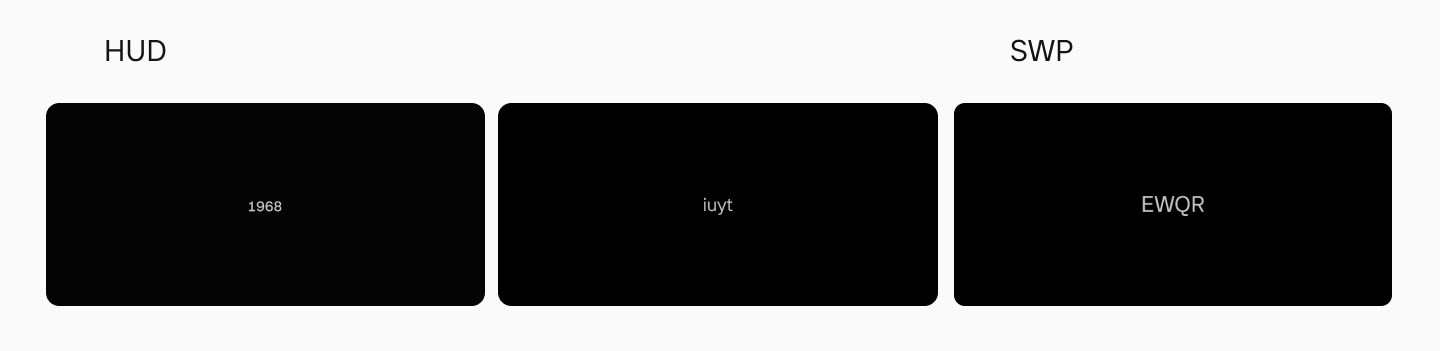
To test the legibility of individual characters and the readability of phrases, the designers requested the font sizes approved for use in the interface designs. They then created cards with characters printed in the smallest of these sizes.
“We decided that in the first stage, we wouldn’t test the font within our interfaces, because then it would be unclear what influenced perception and reading efficiency—the font or the interface itself. So, we used a dark background and a light-colored font for high contrast and created cards, each displaying six characters. The letters were arranged in a random order so that context wouldn’t aid in their recognition.”
Yaroslava Medvedeva, Lead User Experience Researcher at Atom
Special attention was given to similar-looking characters that were flagged during the briefing (’a’ / ’o’, ‘m’ / ‘n’ etc.).
More cards were created with these characters than with others. After a pilot test, the number of characters per card was reduced to four to make them easier to remember and list. This allowed respondents to 1d94 grasp all the symbols at a glance and name them, ensuring that memory recall didn’t affect the results.
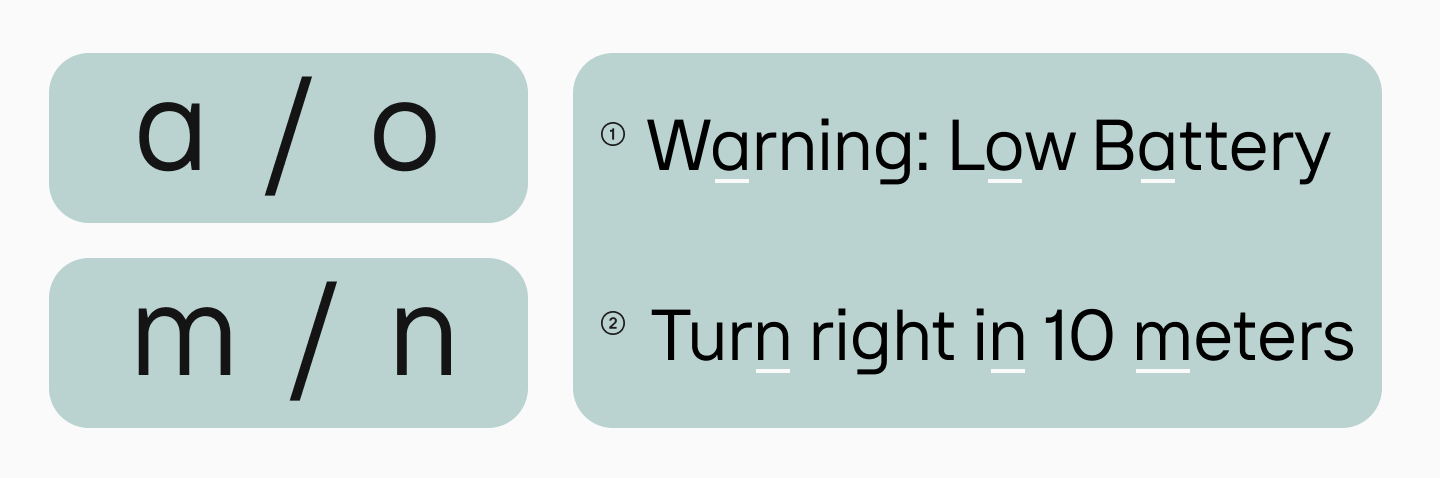
To test readability, cards were made with notification texts already used in the head-up display (HUD). The text was also printed on a dark background with a light-colored font in the size approved for notifications. A few experimental cards were also created with increased and decreased letter-spacing to see if it would affect readability. The same process was repeated for the steering wheel panel (SWP), with the text size adjusted for that specific interface.
The Research Process
A qualitative method was chosen for the study. Respondents were selected with varying levels of eyesight, including mild nearsightedness or astigmatism.
Using a full-scale rig for UX and cognitive ergonomics research, the context of a drive was recreated. The experiment lasted 60 minutes. During this time, participants were shown the prepared cards alternately on the HUD and SWP screens. Respondents had to name all the symbols and phrases they saw. They were only given two seconds to view each card.
On command, respondents would look at the screen on the steering wheel and then shift their gaze to the windshield. This was done to see if refocusing their gaze affected the readability and legibility of the characters.
“We had a protocol sheet with two columns: one listed the symbols and texts from the original cards, and the other had fields to be filled in with what the person said. This allowed us to compare and see if there were any errors. It’s important to conduct these readability tests with native speakers to eliminate any errors that might stem from a participant simply misunderstanding a word.”
Yaroslava Medvedeva, Lead User Experience Researcher at Atom
For the notifications (the phrases), it was agreed that if a respondent couldn’t read the phrase in one go, the card would be shown again. The protocol tracked how many times each participant needed to see a card to repeat what they had read. This helped determine what volume of text a person could absorb in a single brief glance.
“We went through the entire scenario with the respondents this way and then analyzed the errors. It turned out that the number of errors was minimal. Based on this, we concluded that the font is viable; that is, it’s safe to use in the interface for driving.”
Yaroslava Medvedeva, Lead User Experience Researcher at Atom
Conclusions
By the end of the experiment, all respondents had successfully completed the task. The font’s readability was high, and participants correctly read all notifications. There were also no issues with letter and number legibility.
We at TypeType hadn’t conducted studies like this before, but thanks to Atom’s experience, we are already integrating a similar approach into our own research on font readability.
Project Team
Atom
Valentin Krotov — Design System Manager
Alexey Dmitriev — HUD Design Lead
Yara Medvedeva — Lead Researcher
Inga Blagodatskaya — Lead Researcher
Sveta Kholodnova — Researcher
Oleg Vakhromeev — Creative Director
Alexander Pavlovich — Director of Design and User Experience
TypeType
Antonina Zhulkova — Design Lead
Anastasia Pogorelova — Senior Font Designer
Marina Khodak — Design Lead
Yuri Nakonechny — Head of the Technical Department
Stanislav Tikhonov — Font Engineer
Sergey Kuzmin — Head of the Project Office
Katerina Fedina — Client Manager